INTERACTIVE SIMULATION / CASE STUDY
Rail Pressure Lab.
See what happens when a train loses air.
Rail Pressure Lab is a focused Unity engineering demonstration built around a three-vehicle test stand. Disconnect a hose, monitor independent door and brake pressure circuits, verify the brake response and restore the coach — all from a guided browser experience.
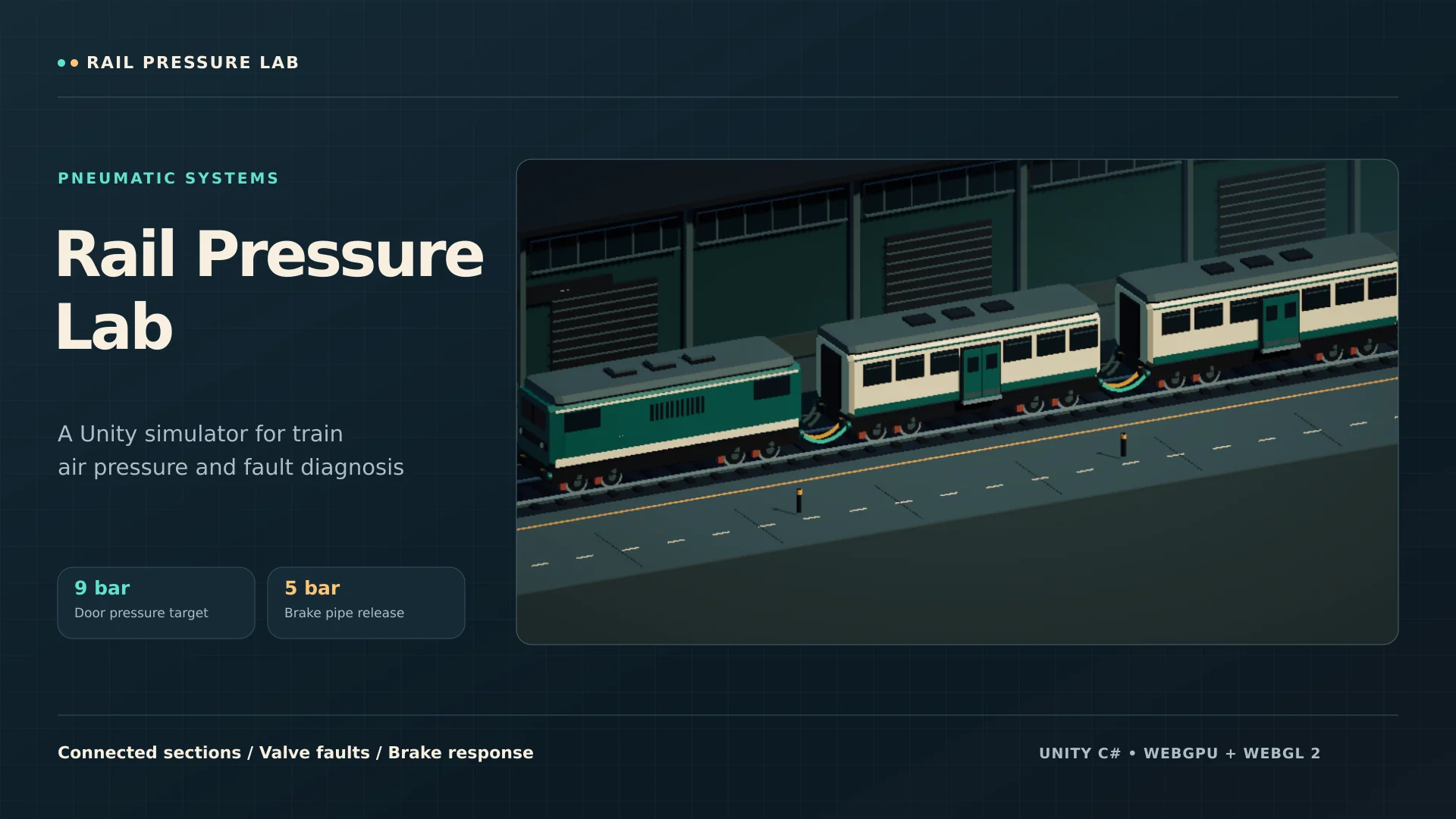 Technical portfolio demonstration
01 / CONTEXT & SOLUTION
Making complexity useful.
The challenge
When multiple pneumatic circuits pass through the same couplings, a single broken connection can have different consequences. A useful training prototype needs to show not just the fault, but the supply path, pressure readings and dependent equipment behavior.
The interactive model
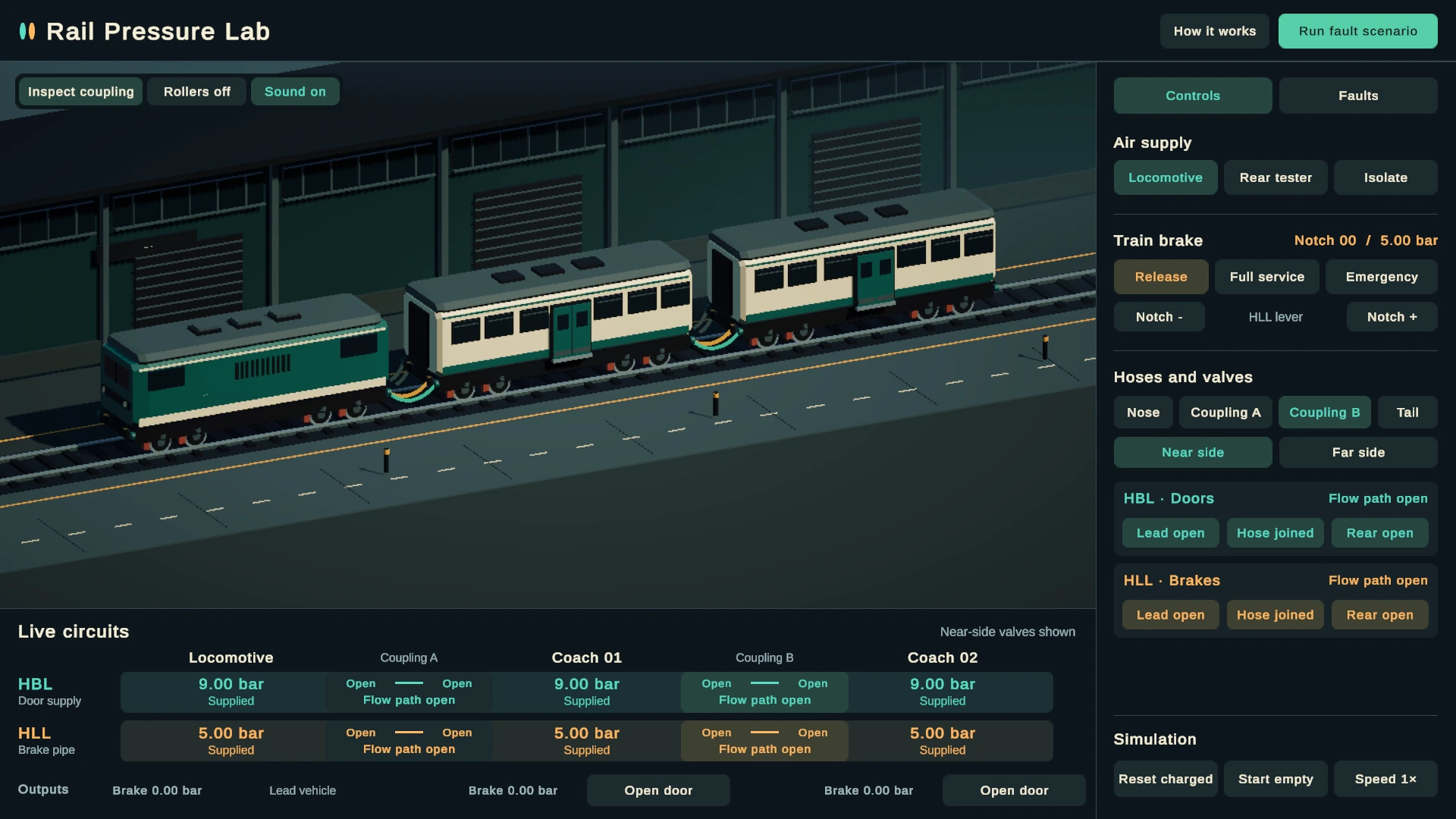
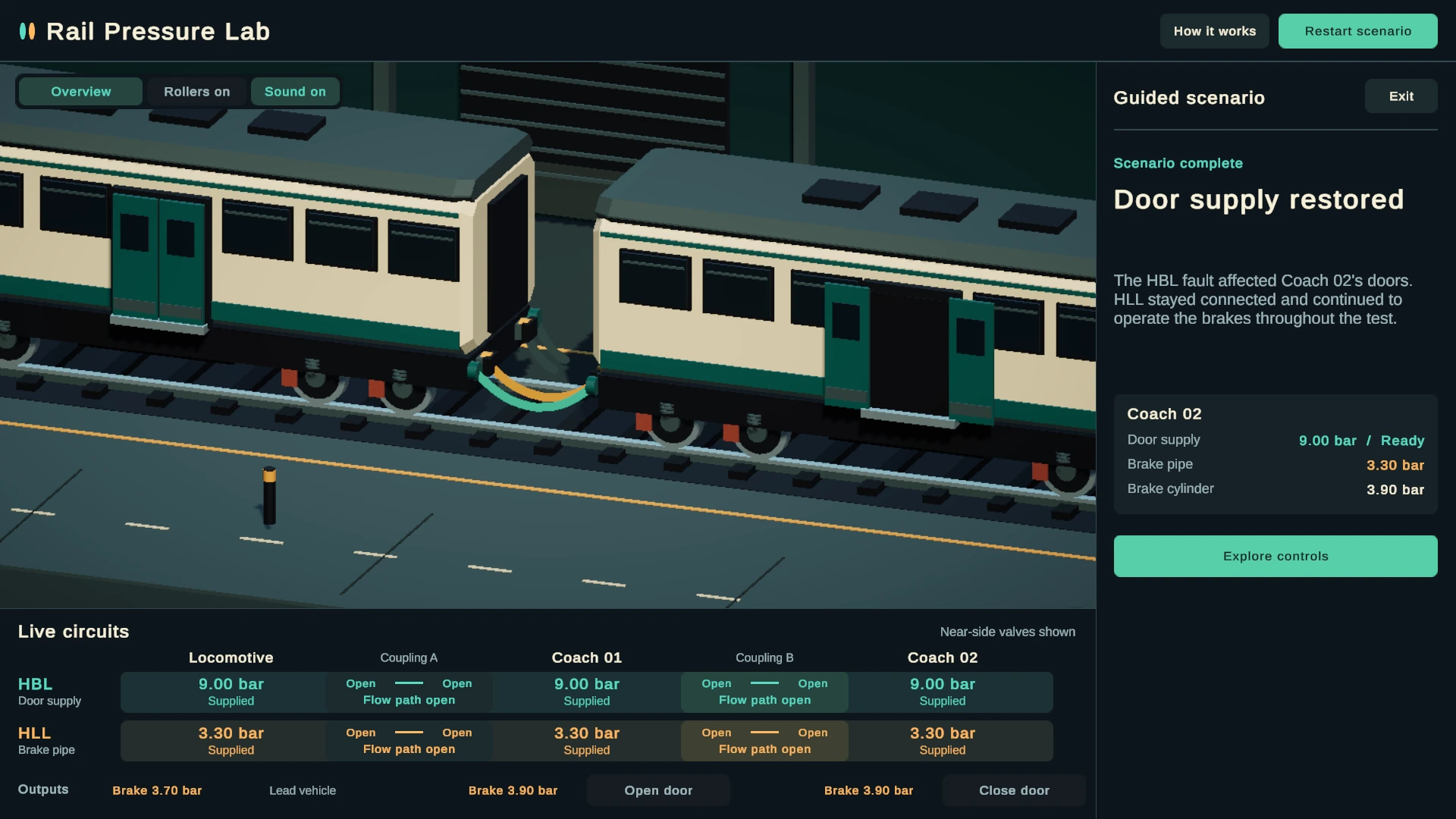
The standalone Unity 6 test bench represents each vehicle with separate pressure nodes for door supply and automatic braking. A fixed-step C# model evaluates connected sections and losses; visual controls and live readouts respond to the same state. The model uses simplified equations for a demonstrable training scenario, not validated railway-grade physical accuracy.
02 / ENGINEERING
The moving parts.
Important product and system decisions, presented without unnecessary jargon.
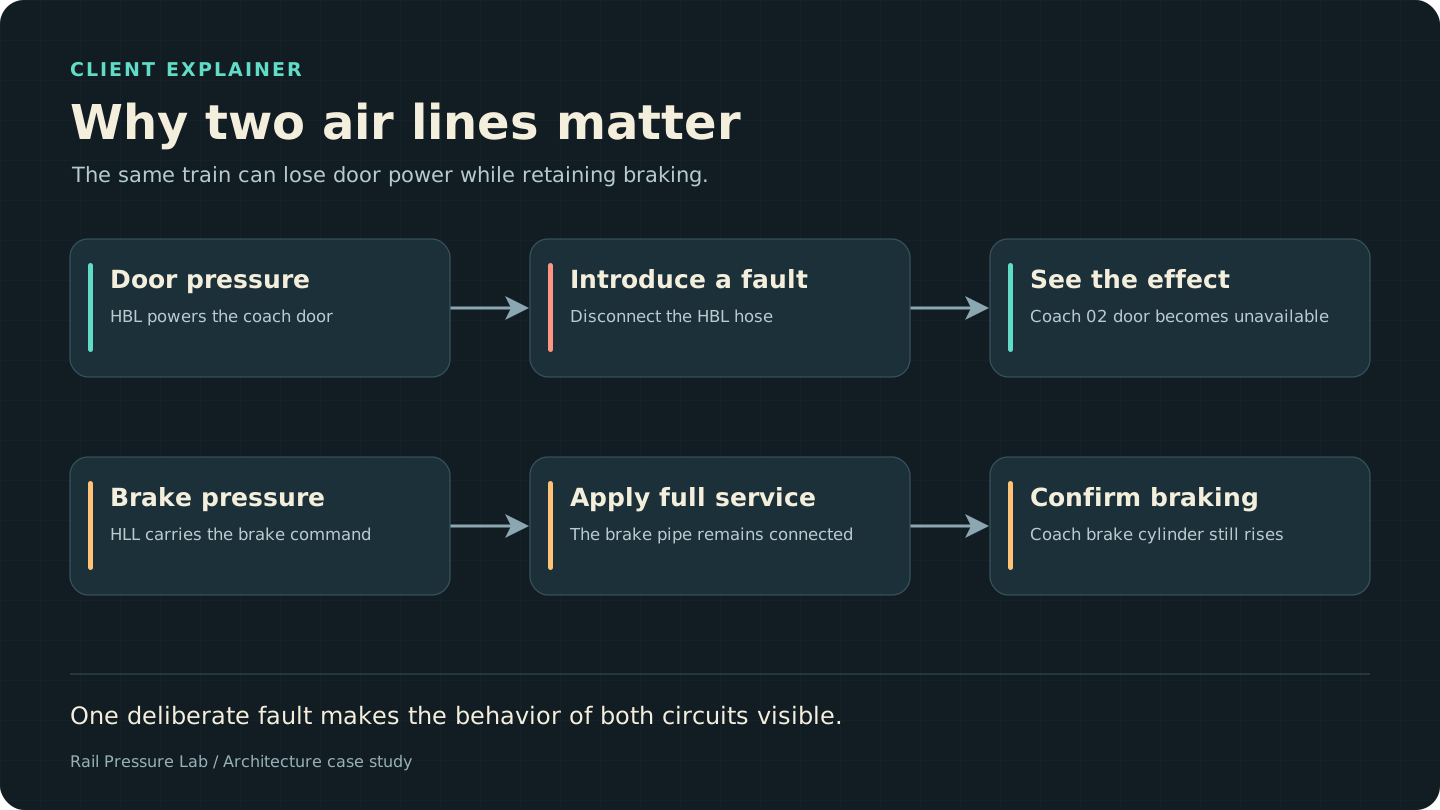
Two independent circuits
Door supply and braking respond independently, making system dependencies visible during faults.
Real interactive connections
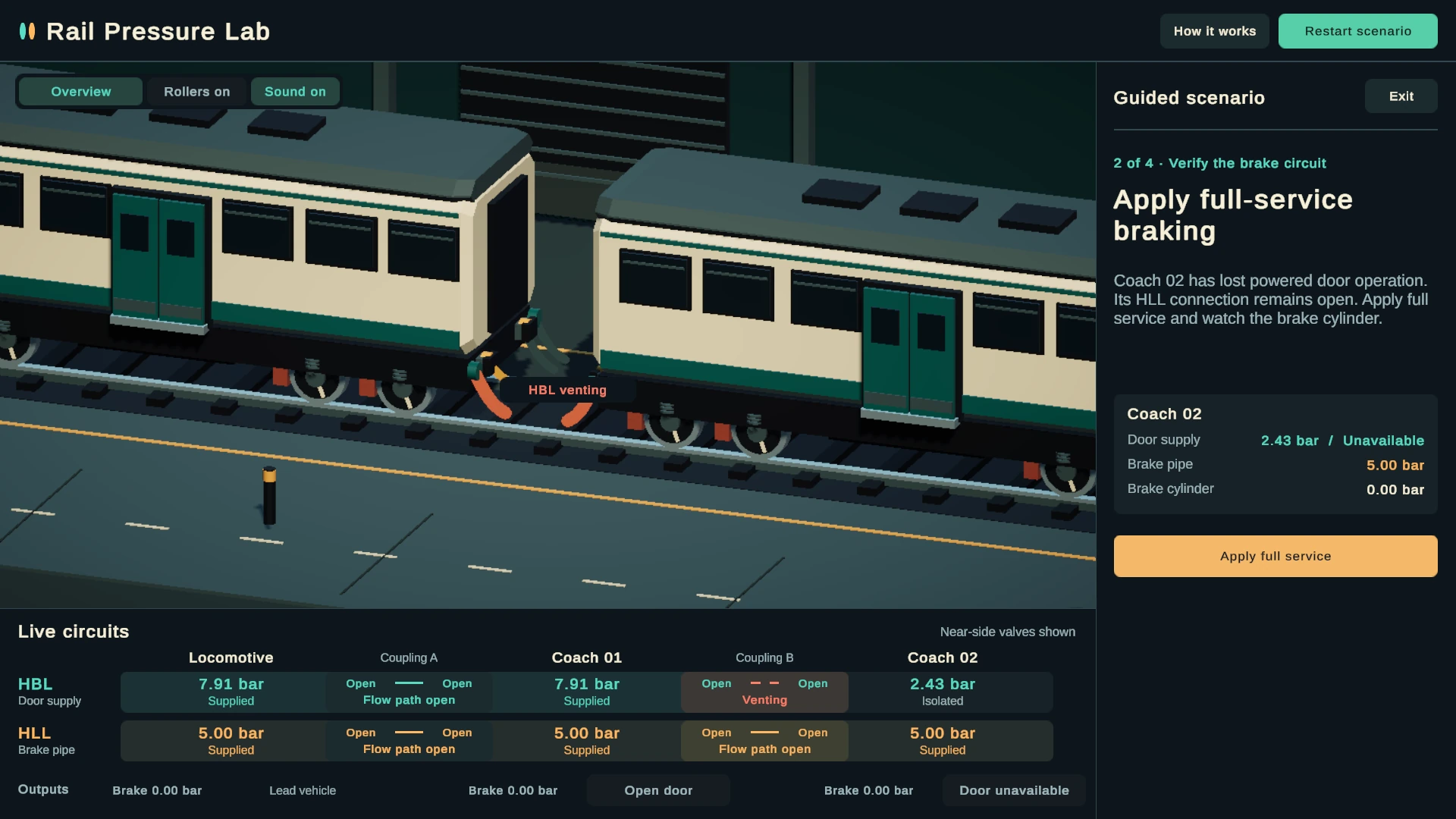
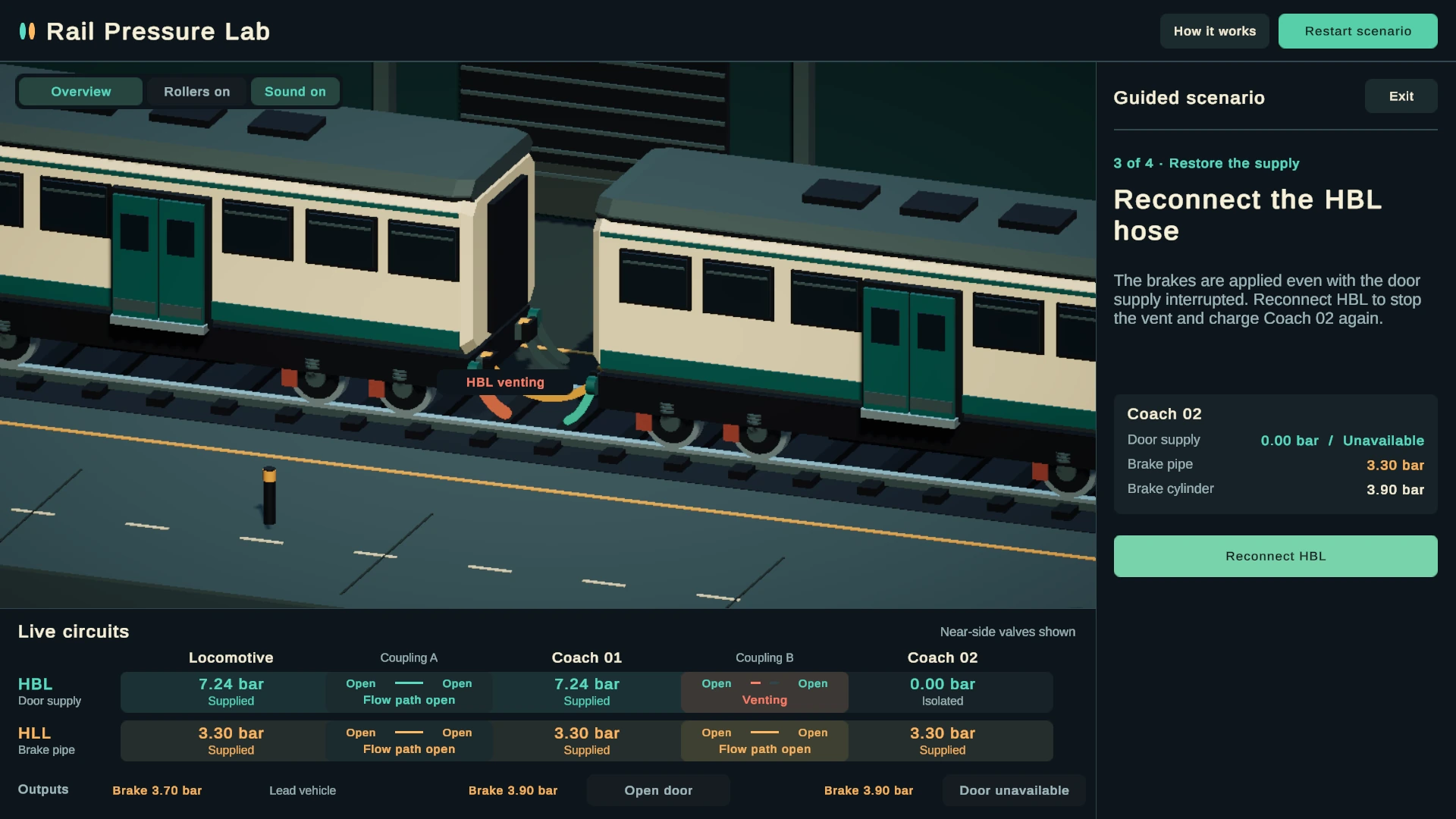
Hoses and cocks determine valid pressure paths, venting behavior and supply continuity.
Diagnostics tied to simulation state
Pressure readouts, equipment states and visible feedback describe what the model is actually doing.
Browser-based engineering demo
Unity Web build configured for WebGPU with WebGL 2 fallback; launched only when requested.
03 / EXPERIENCE IT
Don’t just read about it. Try the system.
Launch the browser demonstration to trace an air fault, test braking and restore the pressure network.
Launch interactive demo Approx. 15.1 MB download after launch · Desktop browser recommended04 / IN THE PRODUCT
Up close.
Actual project imagery, presented in full detail.
05 / HOW IT WORKS
A model you can reason about.
Each vehicle has separate circuit nodes. Hose and cock states determine connectivity, while a fixed-step solver calculates simplified pressure changes and pushes state to gauges, controls and visual feedback.
06 / THE RESULT
A fault-to-recovery journey you can test.
The included Web build passed a guided fault-to-recovery scenario under desktop Chromium using WebGPU with SwiftShader and a WebGL 2 fallback. Other devices and hardware GPU configurations were not verified in the supplied report.
NEXT PROJECT
Soul Voice